From pets versus cattle To configuration as code
Agenda
- Who am I
-
- Citrix / Citrix Online
-
- What is my job there
-
- Where did we start a year ago
-
- 30000 foot view of infrastructure
-
- New Approach
-
- Secure Build Environment
- Infrastructure as code
- Configuration as code
Who Am I
Name: Thomas William
EMail: thomas[dot]william[at]citrix[dot]com
| 1992-1999 | Grammar school |
| Gymnasium Coswig | |
| 2000-2007 | Diploma student in computer science |
| TU Dresden | |
| 2007-2015 | Software/Performance Analyst |
| GWT-TUD GmbH | |
| 2015- | Build Tools Engineer at Citrix Online |
| Citrix Systems |
Prior Field Of Work
- Product manager for the performance analysis software Vampir
- Performance analysis for the Indiana University
- Principal investigator in a joint NIH-funded project Trinity: Transcriptome assembly for genetic and functional analysis of cancer with the Broad Institute
- Lectures on Linux Cluster in Theorie und Praxis at the computer architectures chair at TU-Dresden
Citrix Systems, Inc.

- Founded 1989
- Around 10k employees
- ~3 billion USD Revenue
-
- Products:
-
- Desktops and apps (see next slide)
- Desktop as a Service (DaaS)
- Software as a Service (SaaS)
- Networking (Netscaler) and cloud
-
- Citrix gave:
-
- Cloudstack to the Apache Foundation
- Xen hypervisor to the Linux Foundation
Desktops and apps
RTC Platform Dresden
- 50+ people
- 2 groups
-
- RTC Platform Dresden Group
-
- RTC Endpoint Platform Team
- RTC Server Platform Team
- RTC Platform Shared Services Team
-
- Media Signal Processing Group
-
- Video Processing Team
- Audio Signal Processing Team
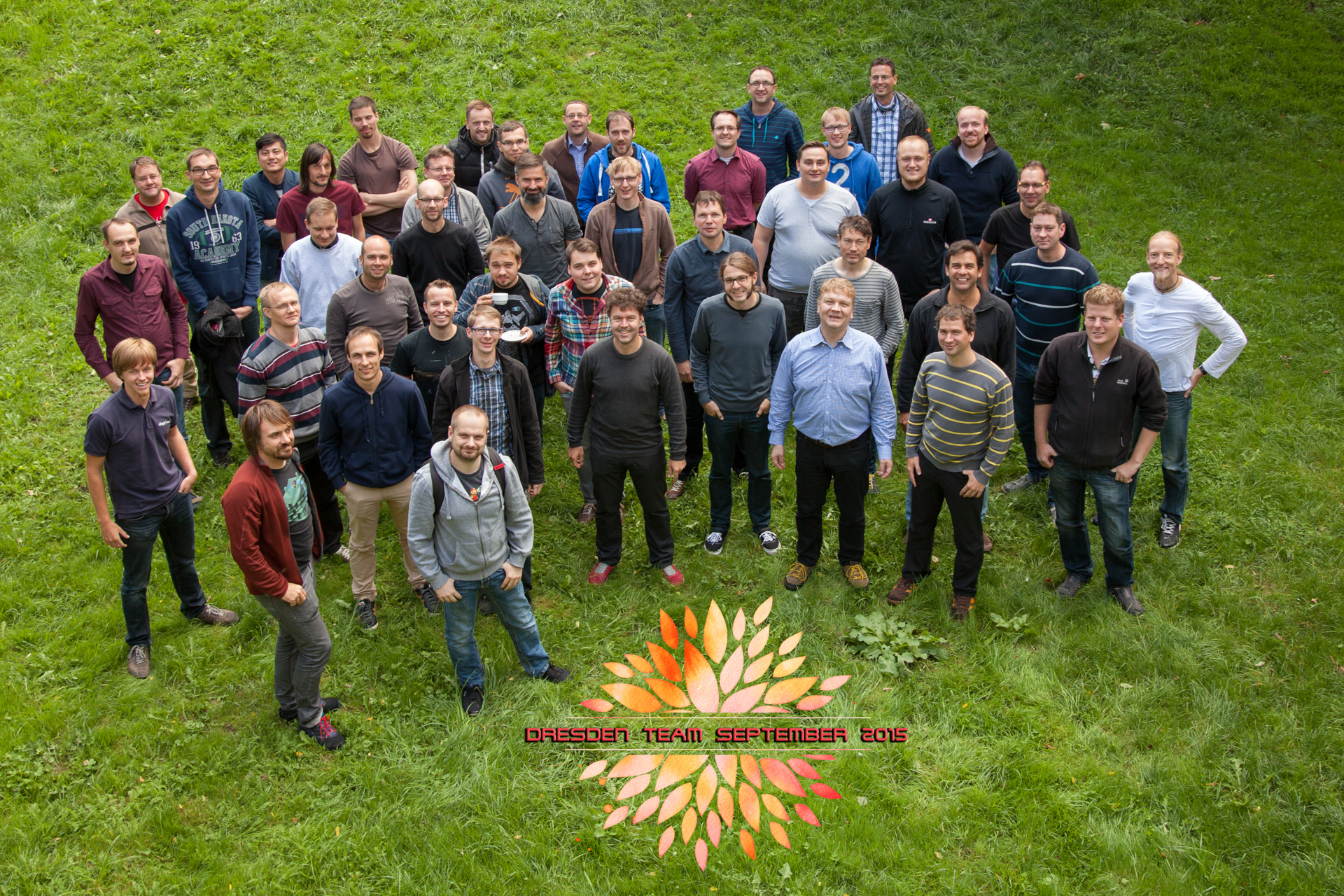
Dresden Team Foto
My Job At Citrix
-
- I'm part of the build tools management team (BTM)
-
- 2 Ger, 3 (India), 6 (USA)
- 1 Director, 1 Architect, 1 Manager
-
- We support Building, Packaging and Deploying
-
- Developer Application Management
- System / Infrastructure Administration
- Developer Support Tools
Status March 2015
- 3 different build and deploy systems
- 3 different SCM systems
- 4++ different code quality and code coverage systems
- Multiple different packaging and deployment workflows
Application Management
- Bamboo (build & deploy)
- BuildForge (build & deploy)
- Jenkins (build & deploy)
- Artifactory (artifact store)
- Clover (code coverage)
- Confluence (wiki)
- Crowd (user mgmt)
- Crucible and FishEye (code review)
- JIRA (ticket/project mgmt)
- Stash (SCM)
- Perforce (SCM)
- Sonar (source quality mgmt)
- Splunk (logs)
- Zenoss (monitoring)
System / Infrastructure Administration
- CloudStack
- Windows/Unix/Mac build machines
- Application servers
- User management for the applications
Other Tools
- BOM tool
- Build Dependency Tool
- uDeploy
- Electric Cloud
- PostgreSQL
- Signing Module
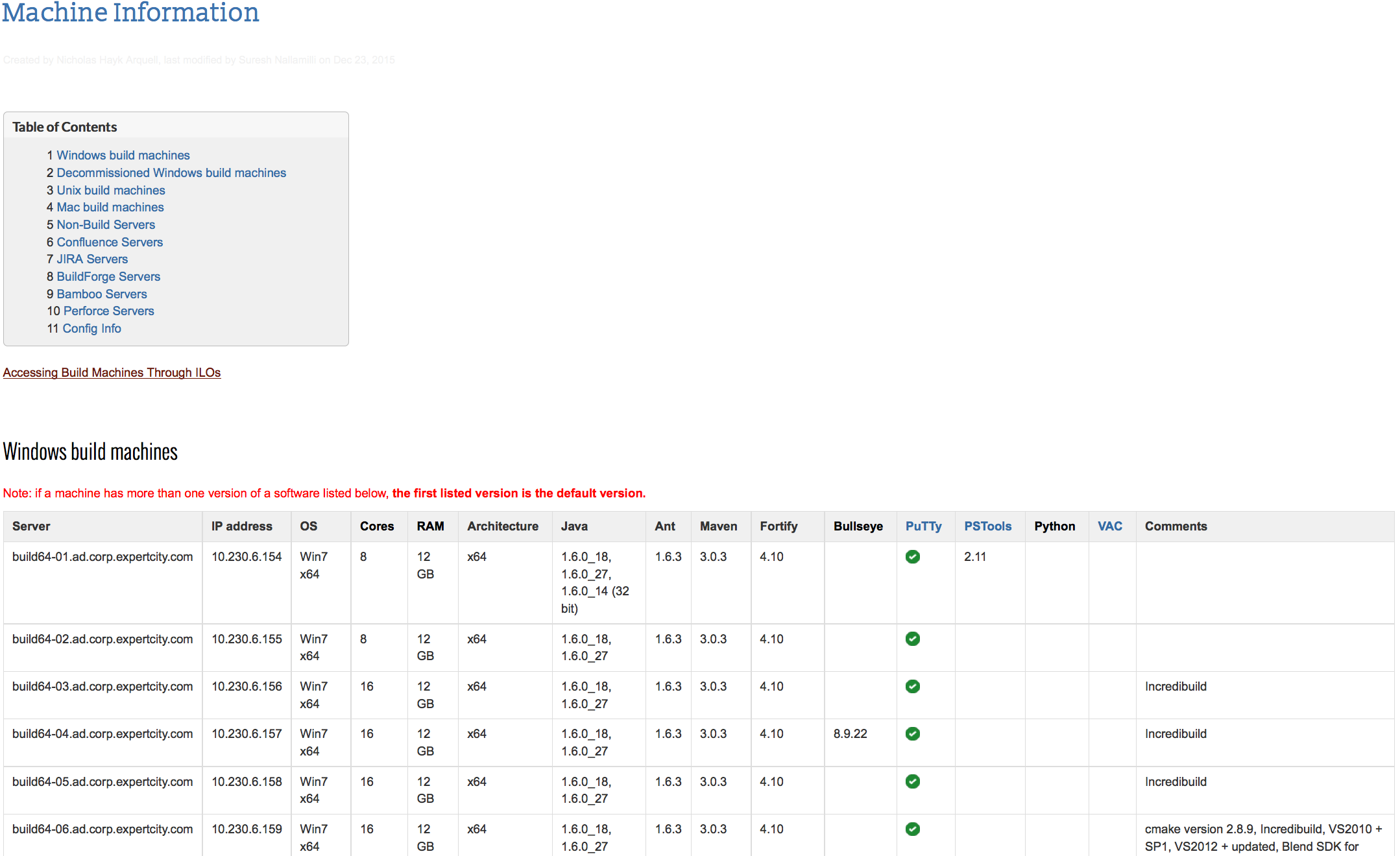
Machines Managed Manually 1/2
Machines Managed Manually 2/2
- Machines managed manually with ssh/scripts/build-plans
- Configurations differ between machines
- Buildplans therefor have to be tied to certain machines
- No equal load distribution
- Crash of single machine may block a plan/team
-> "Pets vs. Cattle"
Example Workflow
-
- Bamboo plan to build binaries from sources
-
- Creates RPMs, stores them in NFS share
- Triggers child plans
-
- Bamboo childplan using bash scripts to:
-
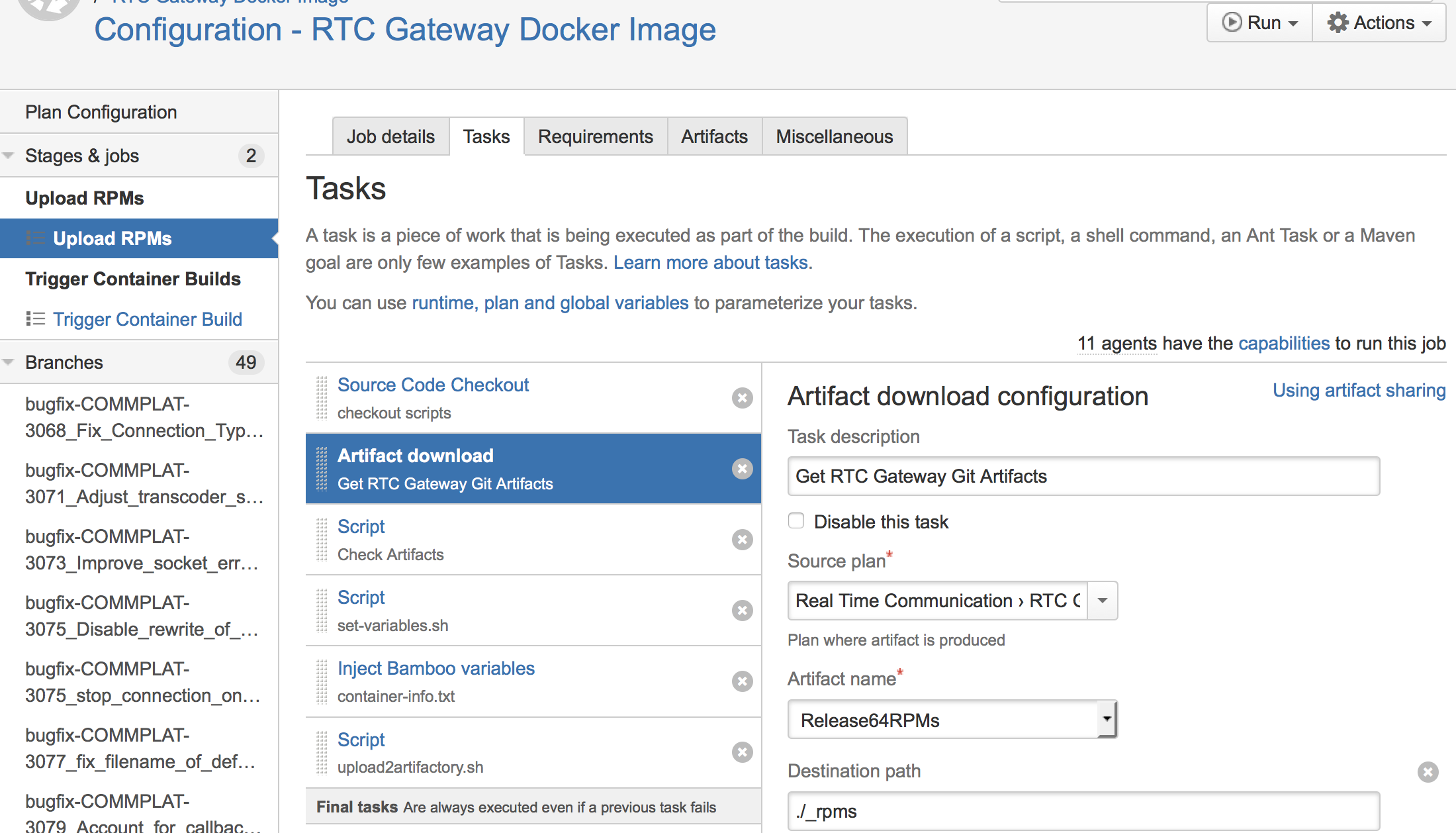
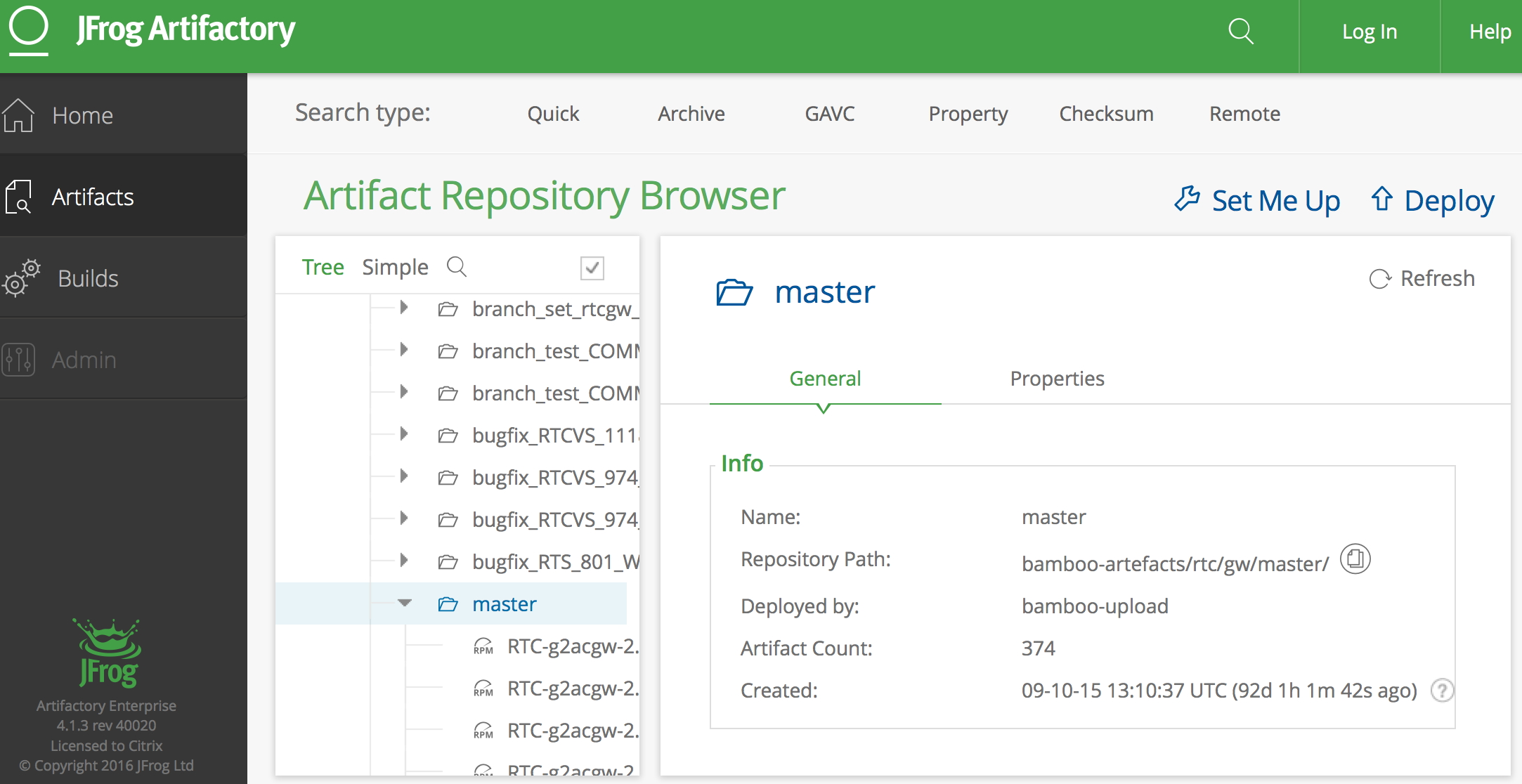
- Upload rpms to Artifactory
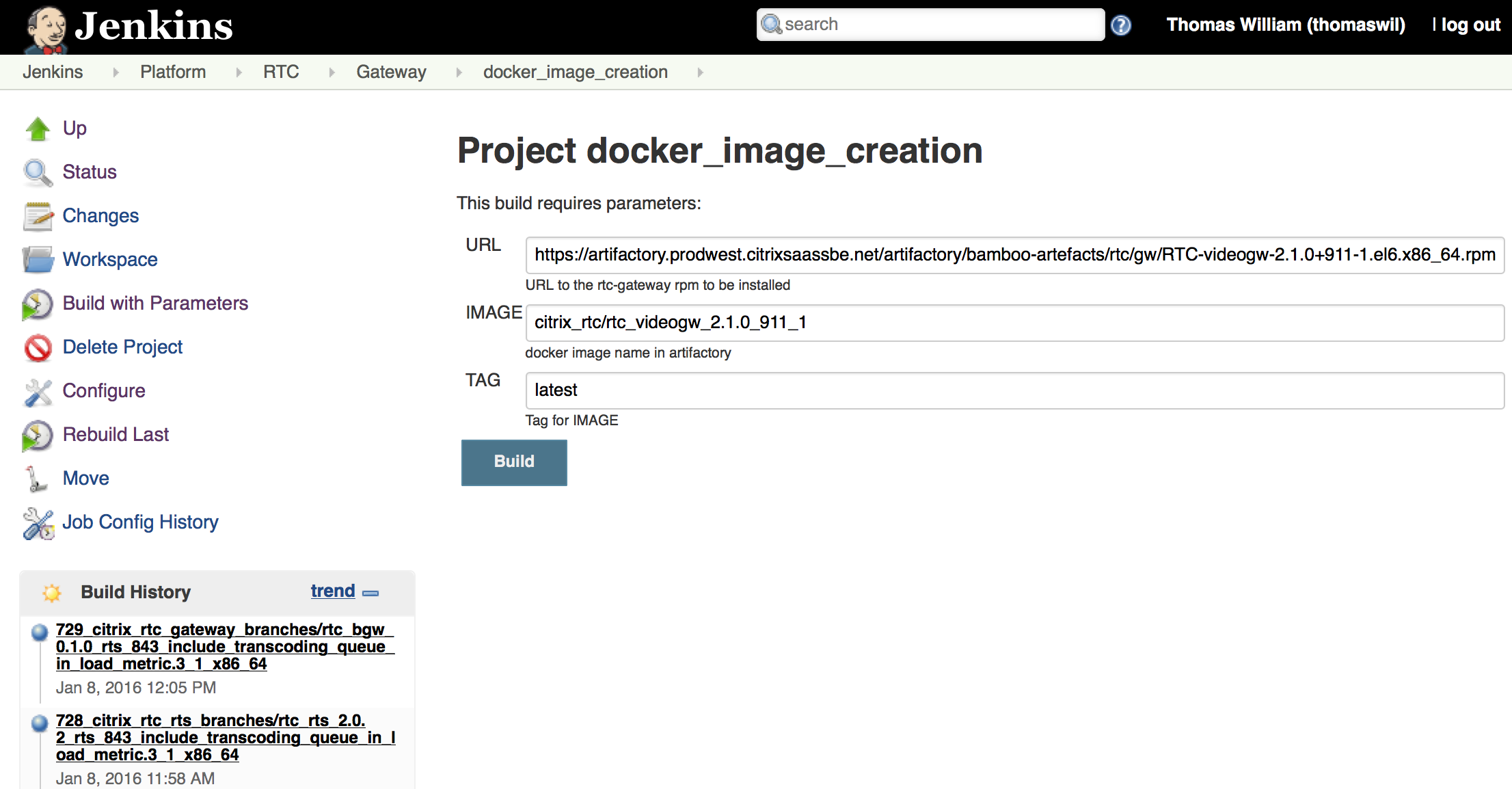
- Trigger docker container creation in Jenkins
-
- Jenkins plan that builds docker containers
-
- Containers are stored in Artifactory
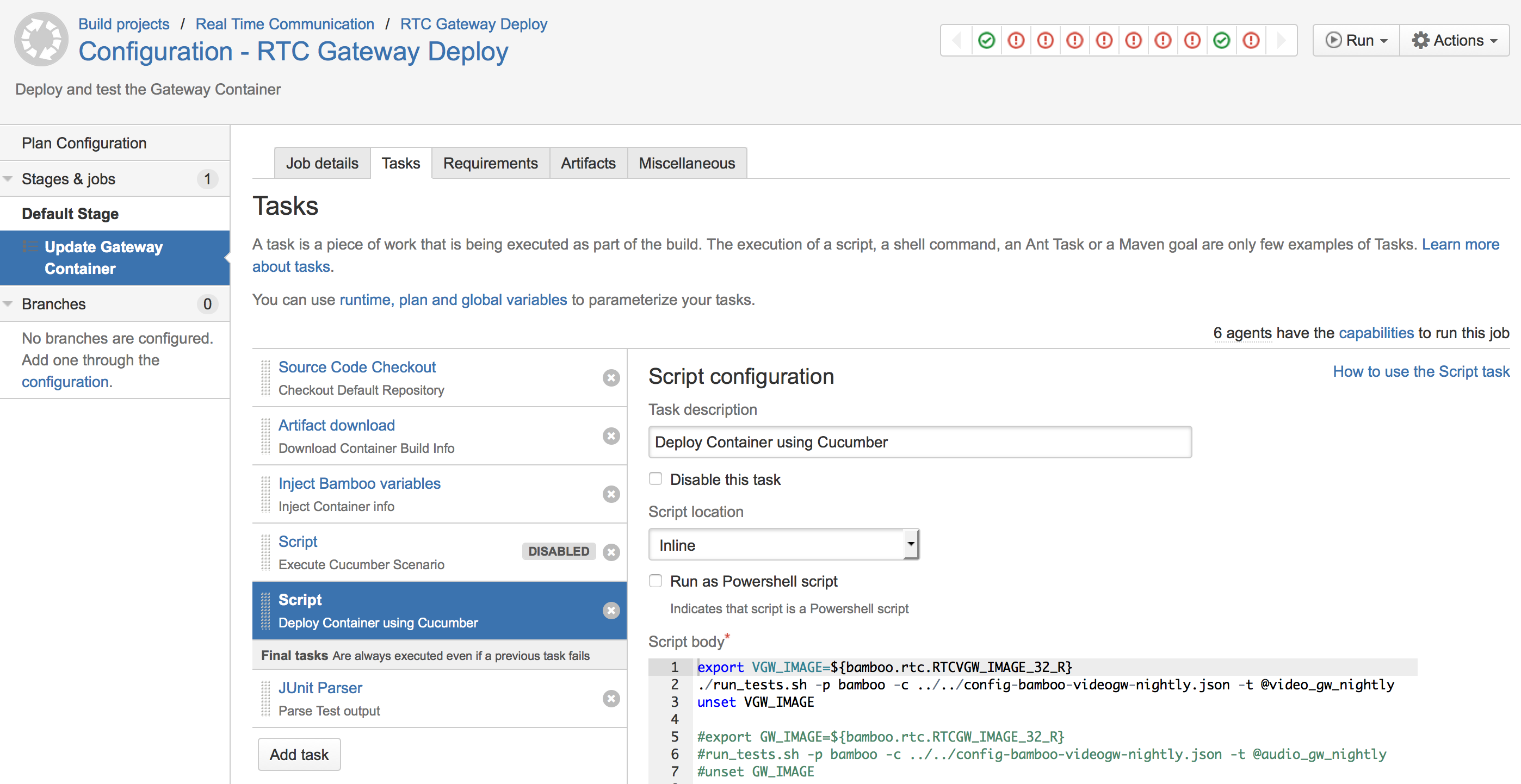
- Bamboo childplan for end2end tests in test environment using Cucumber
Bamboo Plan: RTCGW RPM Build
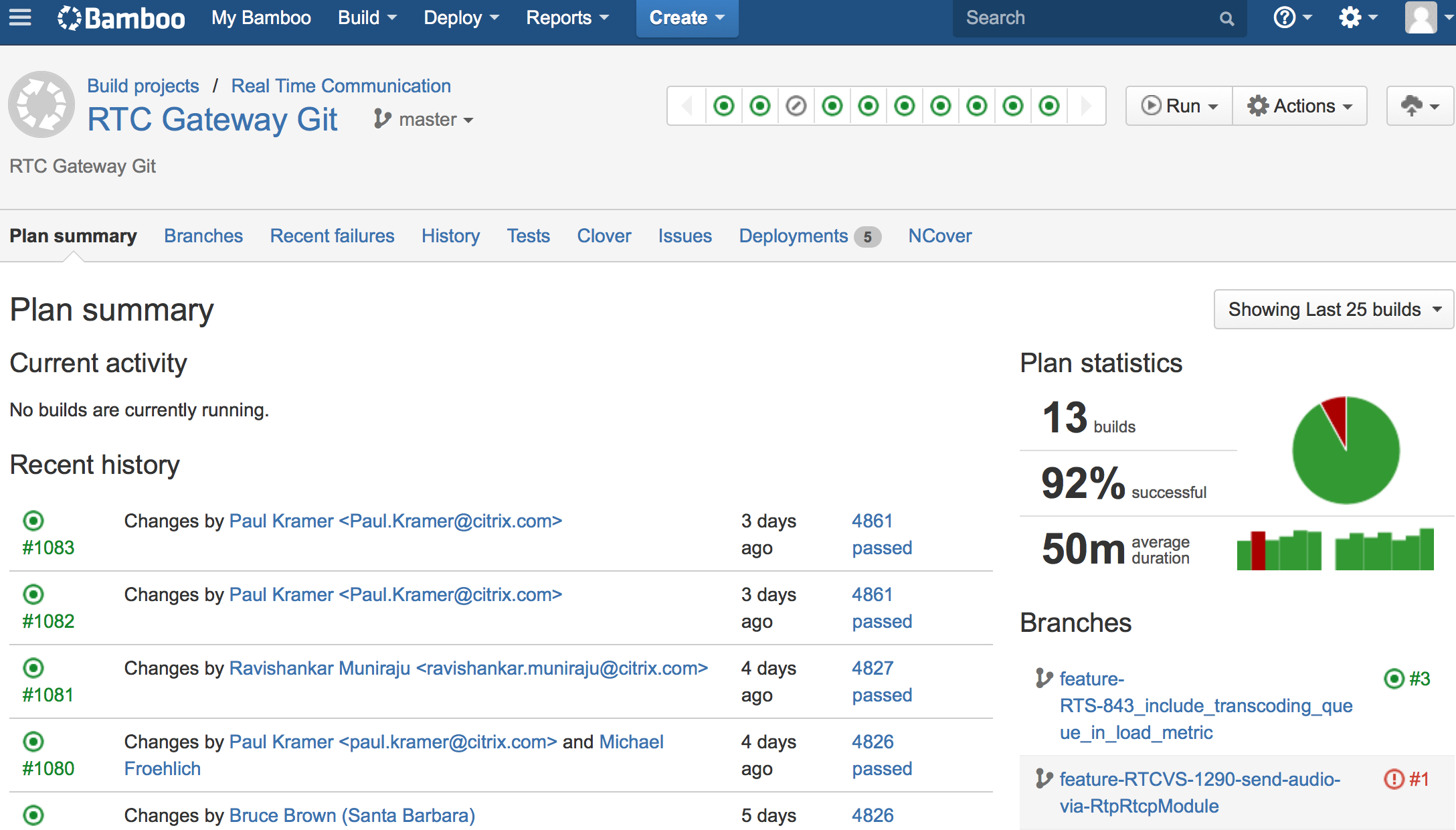
Bamboo Plan Configuration
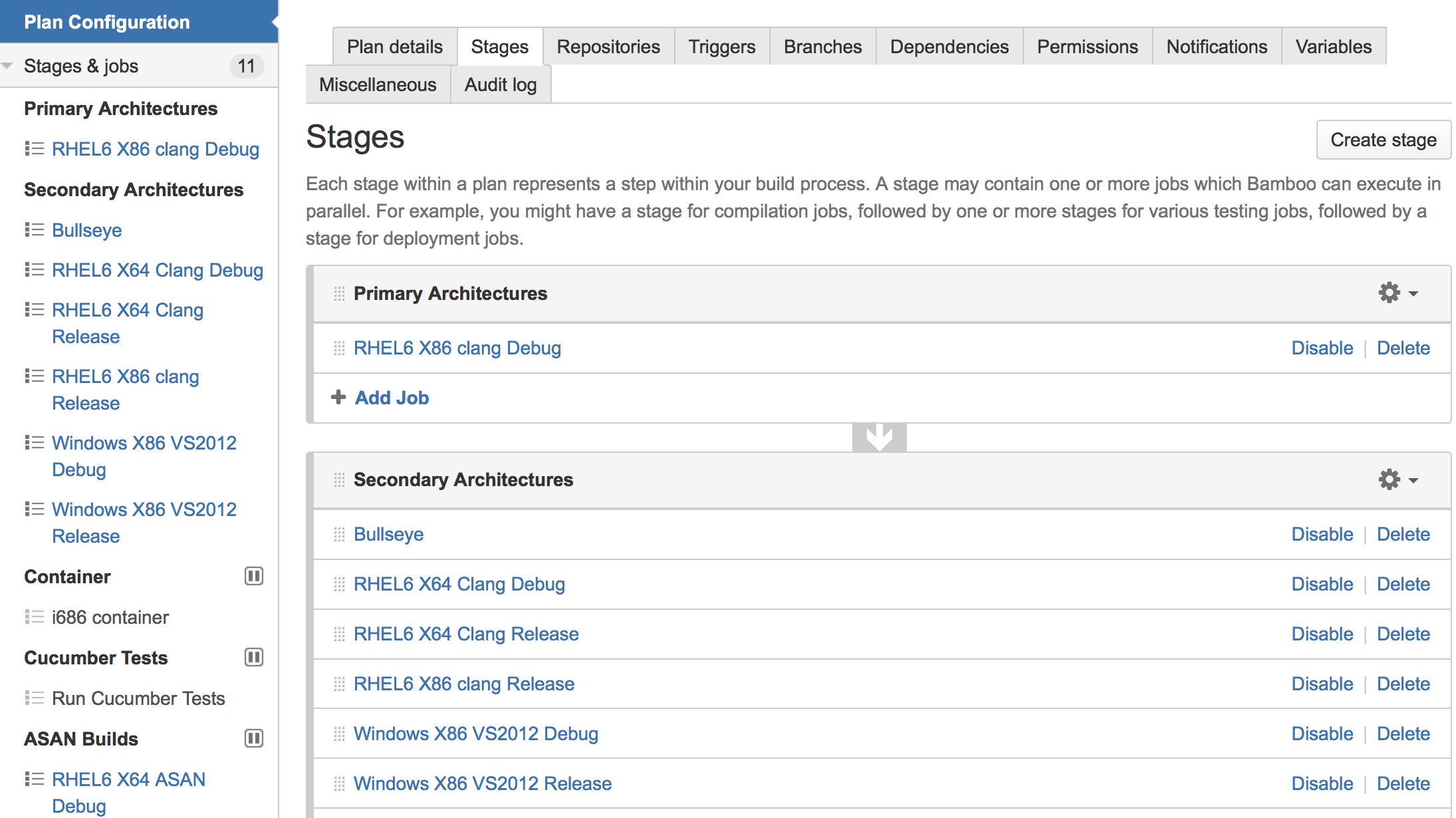
Bamboo Child Plans
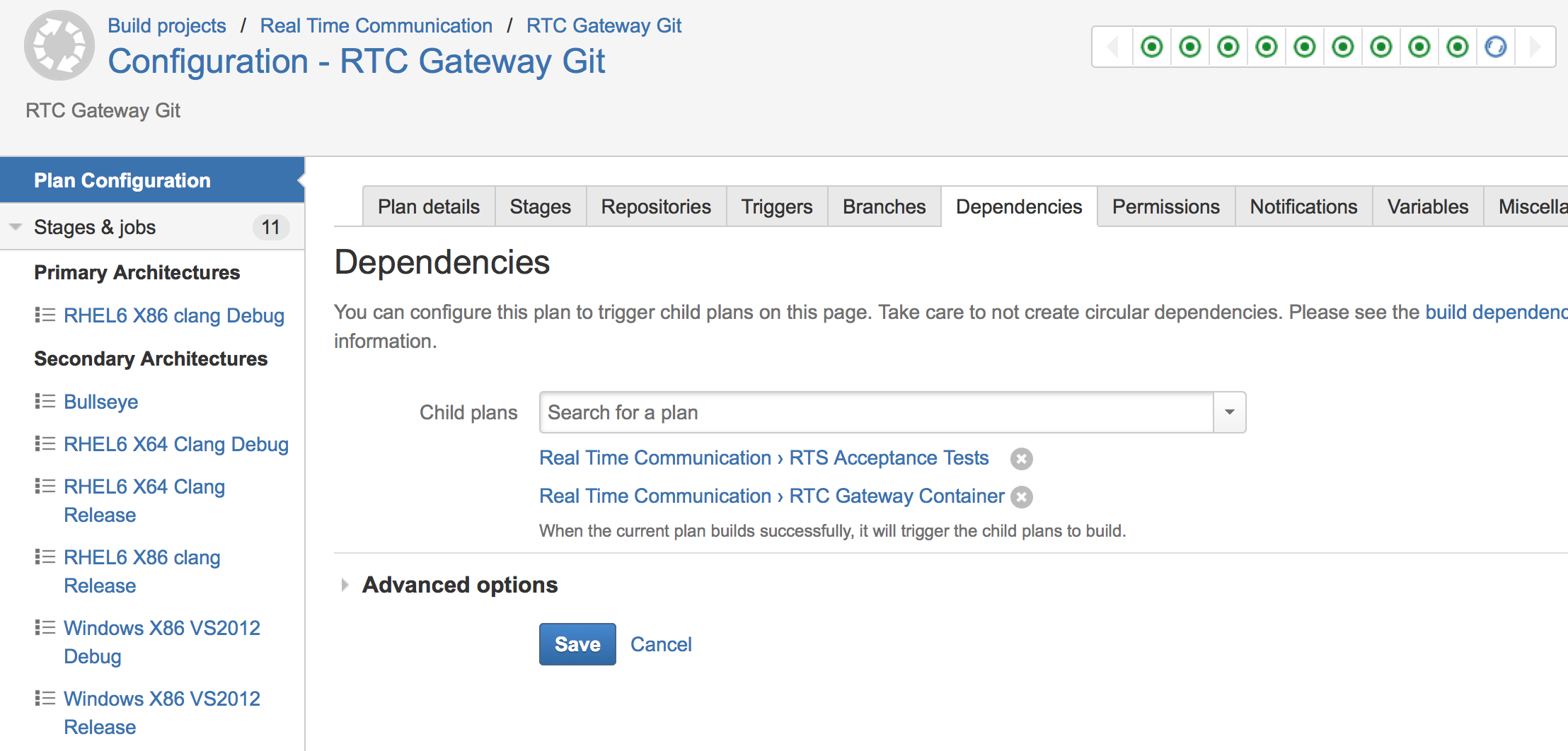
Bamboo Plan: RTCGW RPM Upload
Artifact Store For RPMs
Jenkins Plan: RTCGW Container
Bamboo Plan: RTCGW Testdeploy
The New Approach
- In 2014, evaluation and decision to reboot build infrastructure
- A New Director and Principle Architect were hired
- Move everything to the cloud (AWS for now)
- Consolidate tools zoo
- Identify common workflow patterns
- Only common patterns will get official support
Longterm Goals
- Developer's hands to Customer's hands in (less than) 1 hour
- A new Developer can produce Customer value in (less than) 24 hours
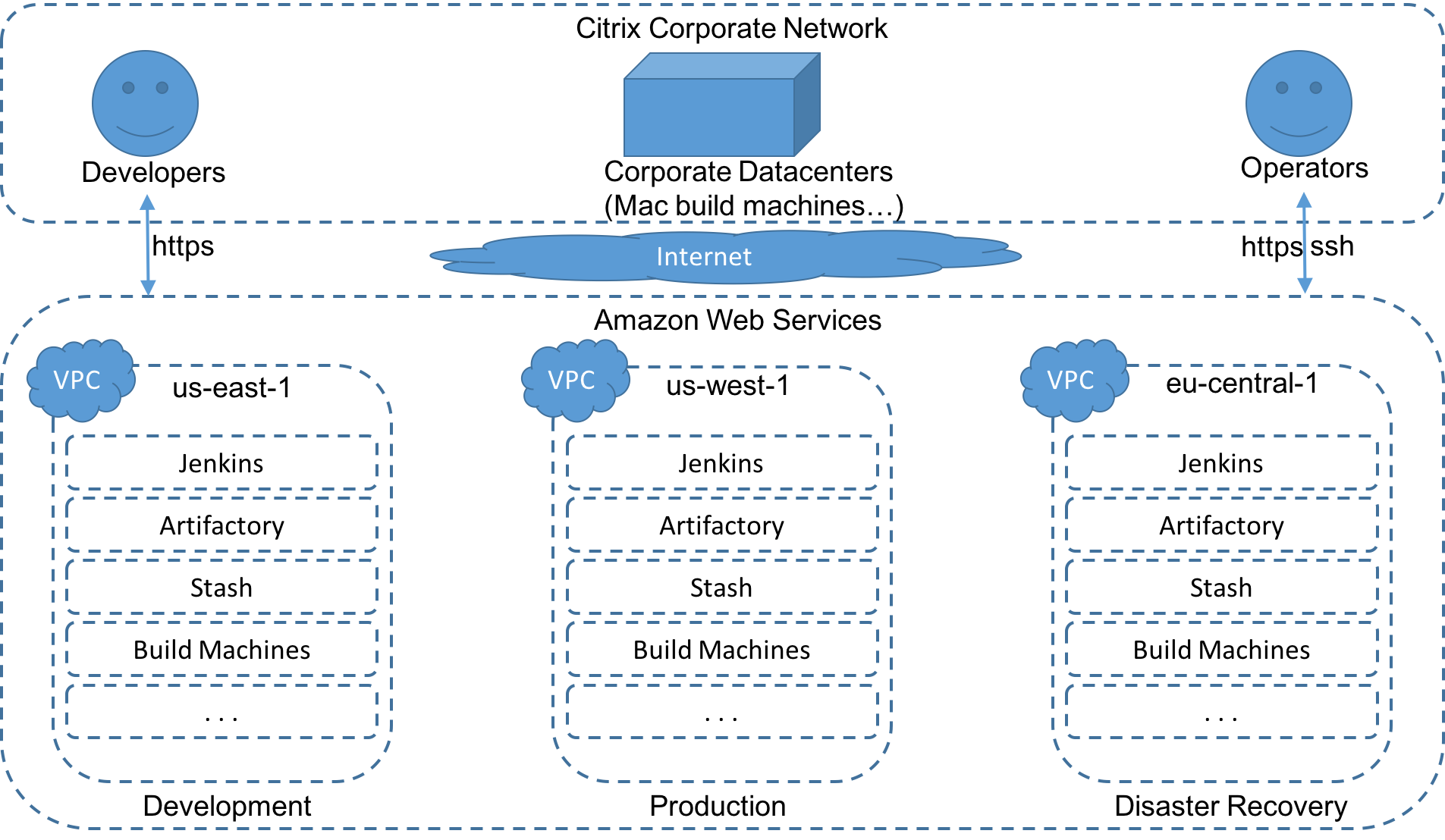
What Is The SBE In AWS?
-
- SBE: Secure Build Environment
- The new build environment currently in development
-
- AWS: Amazon Web Services
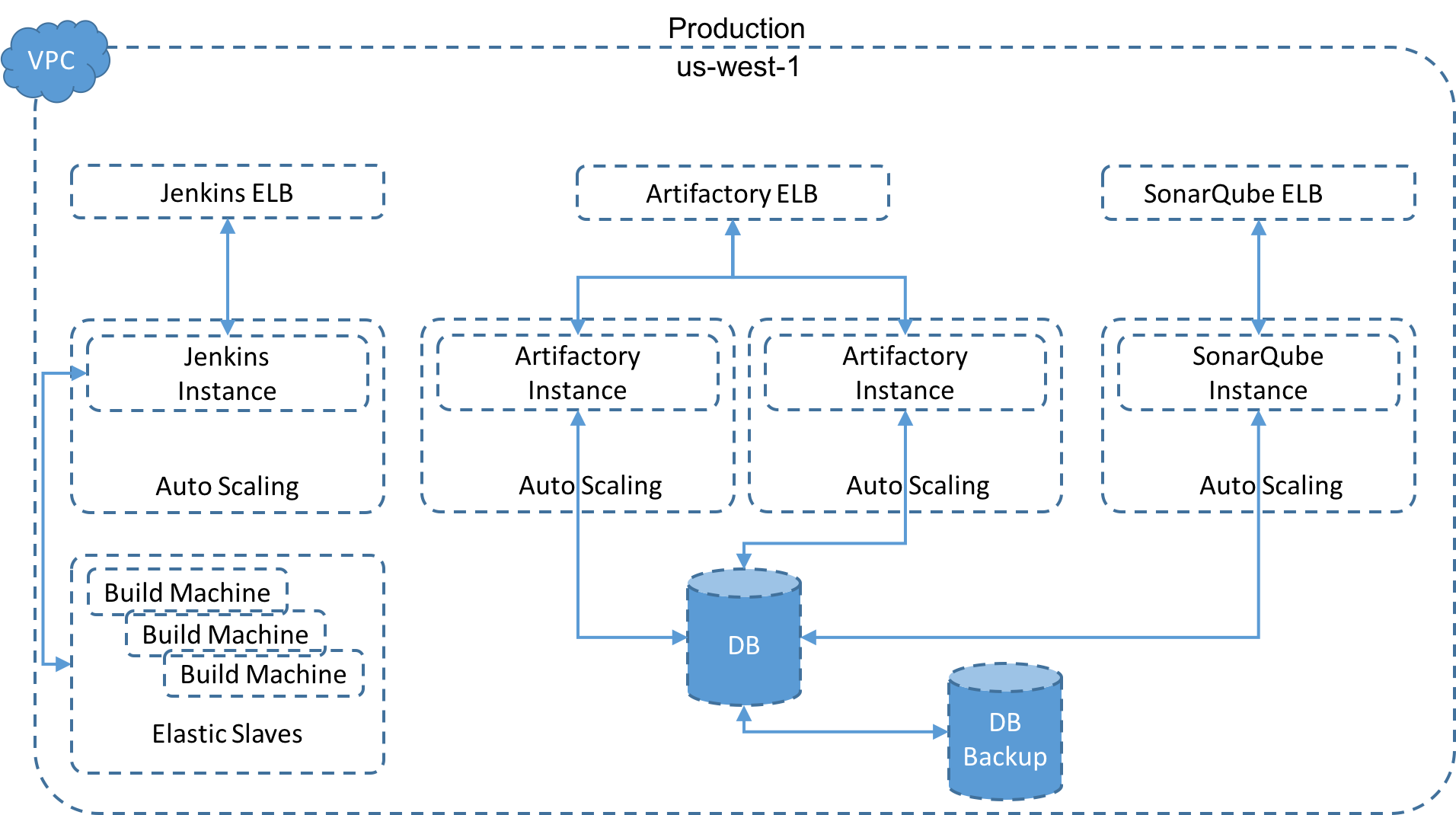
- Instead of in-house servers we now use Amazons EC2 instances to be scalable
-
- EC2: Amazon Elastic Compute Cloud
- Part of cloud-computing platform AWS, for renting virtual computers
SBE Overview
SBE Production
Infrastructure As Code (IAC)
- Definition:
- Infrastructure as Code (IAC) is a type of IT infrastructure that operations teams can automatically manage and provision through code, rather than using a manual process. Infrastructure as Code is sometimes referred to as programmable infrastructure.
- Concept of IAC is similar to programming scripts
-
- IAC uses higher-level or descriptive language to code:
-
- Versatile and adaptive provisioning
- Deployment process(es)
-
- IAC process closely resembles formal software design practices:
-
- Developers carefully control code versions
- Test code iterations
- Limit deployment until the software is proven and approved for production
Example
Using Ansible (or Vagrant/Puppet/Chef/Salt...), an IT management and configuration tool, one could:
- Install MySQL server,
- Verify that MySQL is running properly,
- Create a user account and password,
- Set up a new database and remove unneeded databases
-> all through code.
Using code to provision and deploy servers and applications is particularly interesting to software developers:
- No dependency on system administrators to provision and manage the operations aspect of a DevOps environment
- IAC process can provision and deploy a new application for quality assurance or experimental deployment
IAC also introduces potential disadvantages:
- IAC code development may require additional tools that could introduce learning curves and room for error
- Errors in IAC code can proliferate quickly through servers
- Monitoring/peer review for version control and comprehensive pre-release testing is mandatory
-
- If administrators can change server configurations without changing IAC code:
-
- Potential for configuration drift
- Inconsistent configurations across data centers
It is therefor important to fully integrate IAC into:
- Systems administration
- IT operations
- DevOps processes
- With well-documented policies and procedures
- 1, 2, automate
- DevOps mantra meaning you should consider automating everything you envision to do more than 2 times in the foreseable future.
IAC @ Citrix
-
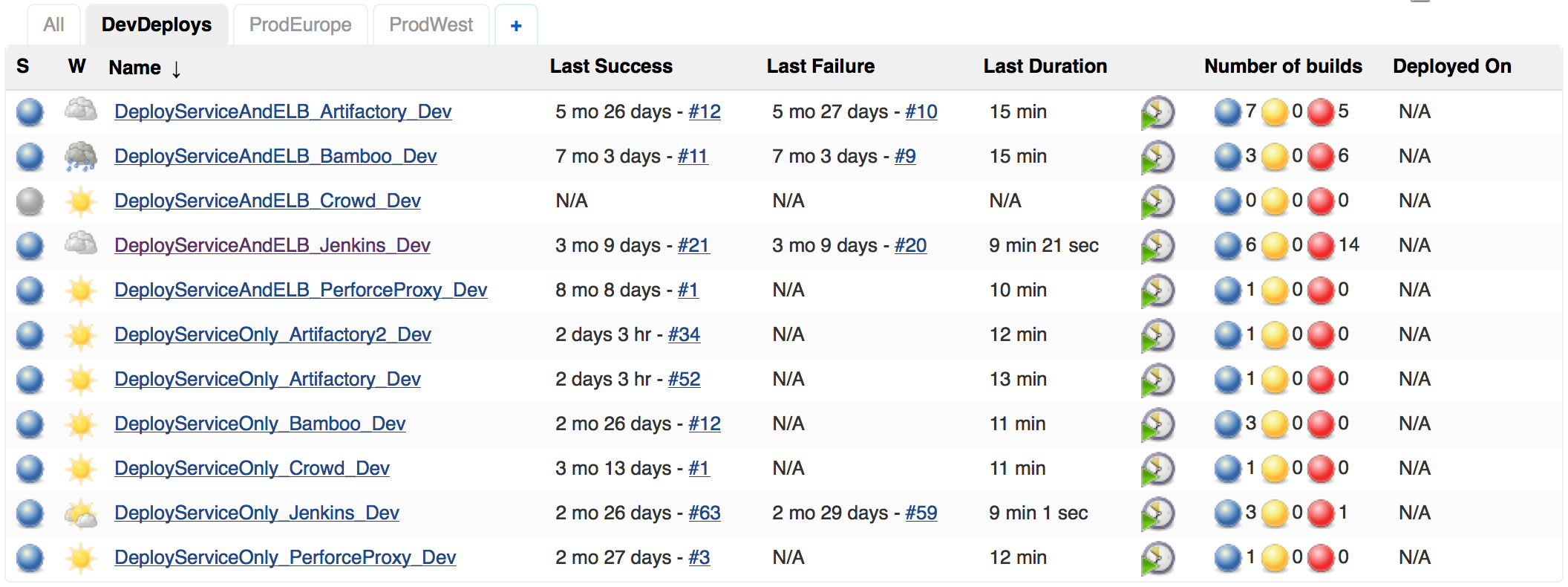
- Jenkins node itself is build and deployed using Jenkins job
-
- Jenkins service and ELB as two cloud formations
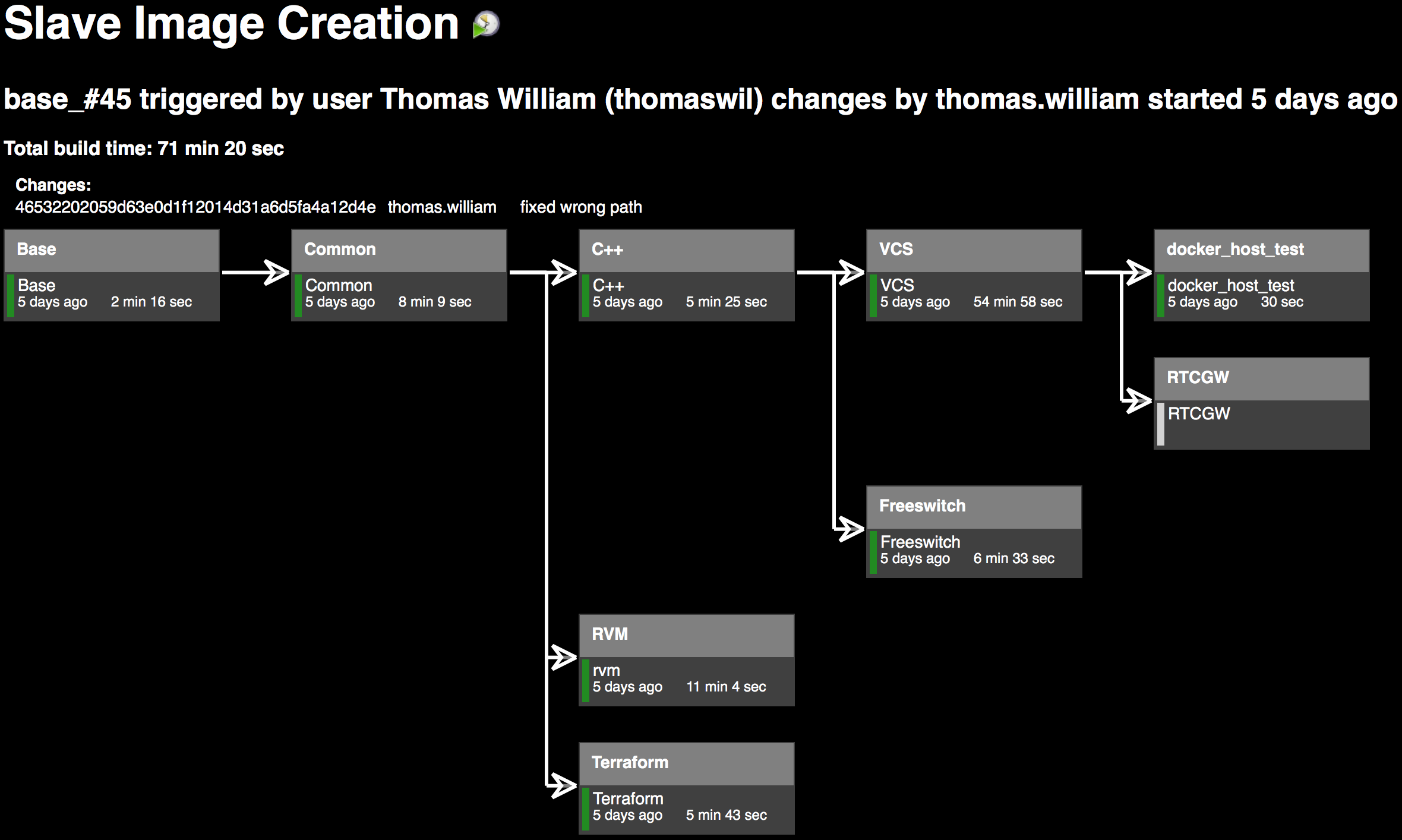
- Build slave images are created using Jenkins jobs
-
- Jenkins can run build jobs inside docker containers
-
- A generic docker build slave can be reused by different jobs
- The docker images are build with Jenkins jobs
Jenkins Deploys Jenkins
Docker Image Creation
Configuration As Code
"Configuration as code" is a subset of the larger "infrastructure as code" concept:
- Adding of virtualization to the management of your configurations
- Not just managing what's on your systems but also the existence of the systems themselves
What does treating "configuration as code" mean in a pracital sense?
- Configuration often !is! code
- Apache config file(s) is/are basically a programming environment already
What that means is using (good) practices common to the world of a programmer.
Revision Control And Deployment
- As "code" you manage it in a version control system, then you compile and deploy it out to a target system
- As "config" you edit configs in place on a system
Tests
- Make it testable
- regression, unit, integration, load, security...
- Monitoring
- Development and test environments
Continuous Integration/Continuous Deploy
-
- Follow a process
-
- Simple: design/code/test/deploy/maintain
-
- This can include more complex steps:
-
- Modeling
- Automated code validation
- Defect tracking
- Code reviews
Simple Example: This Talk
- Written in ReStructuredText
- Converted to HTML5
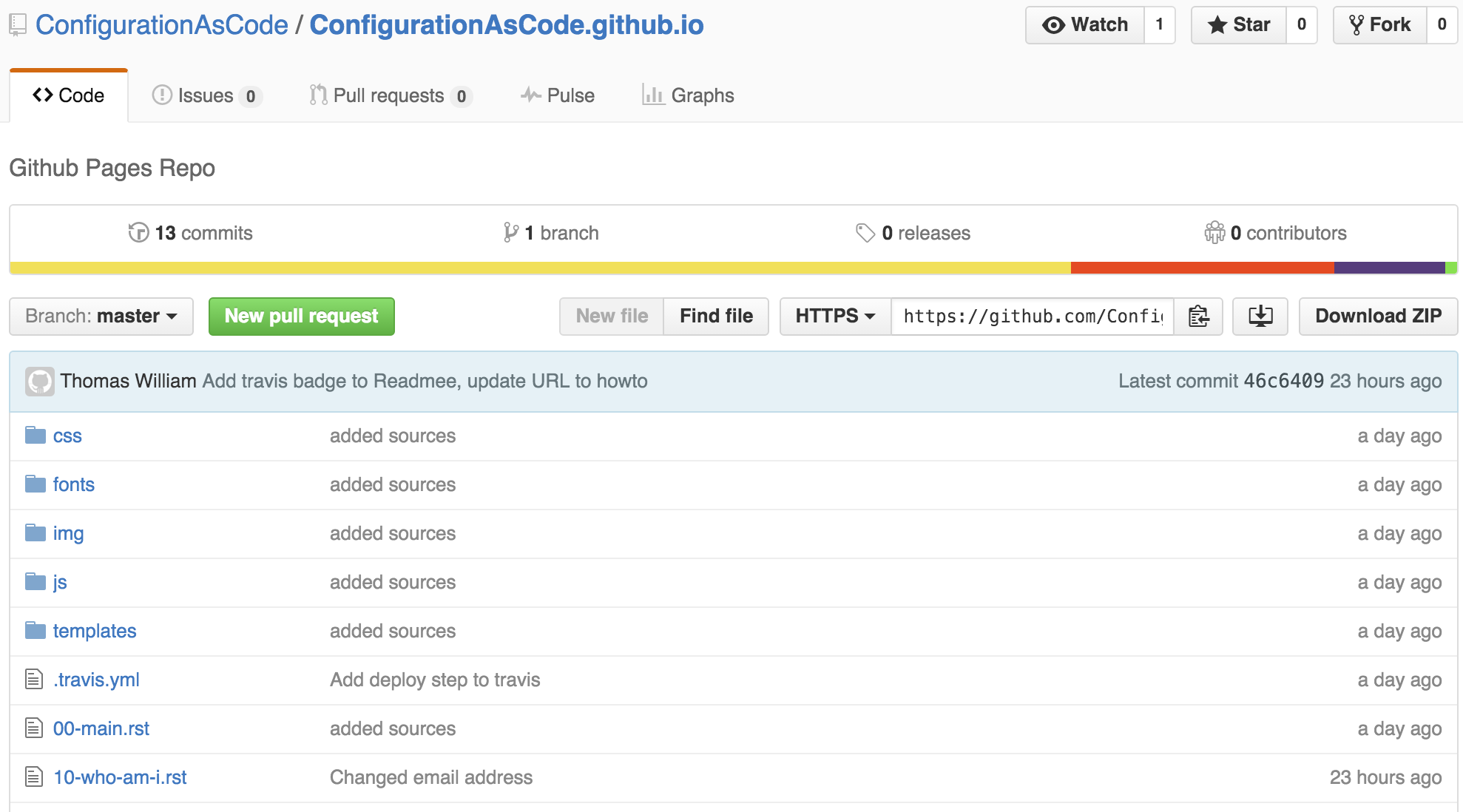
- Stored on Github
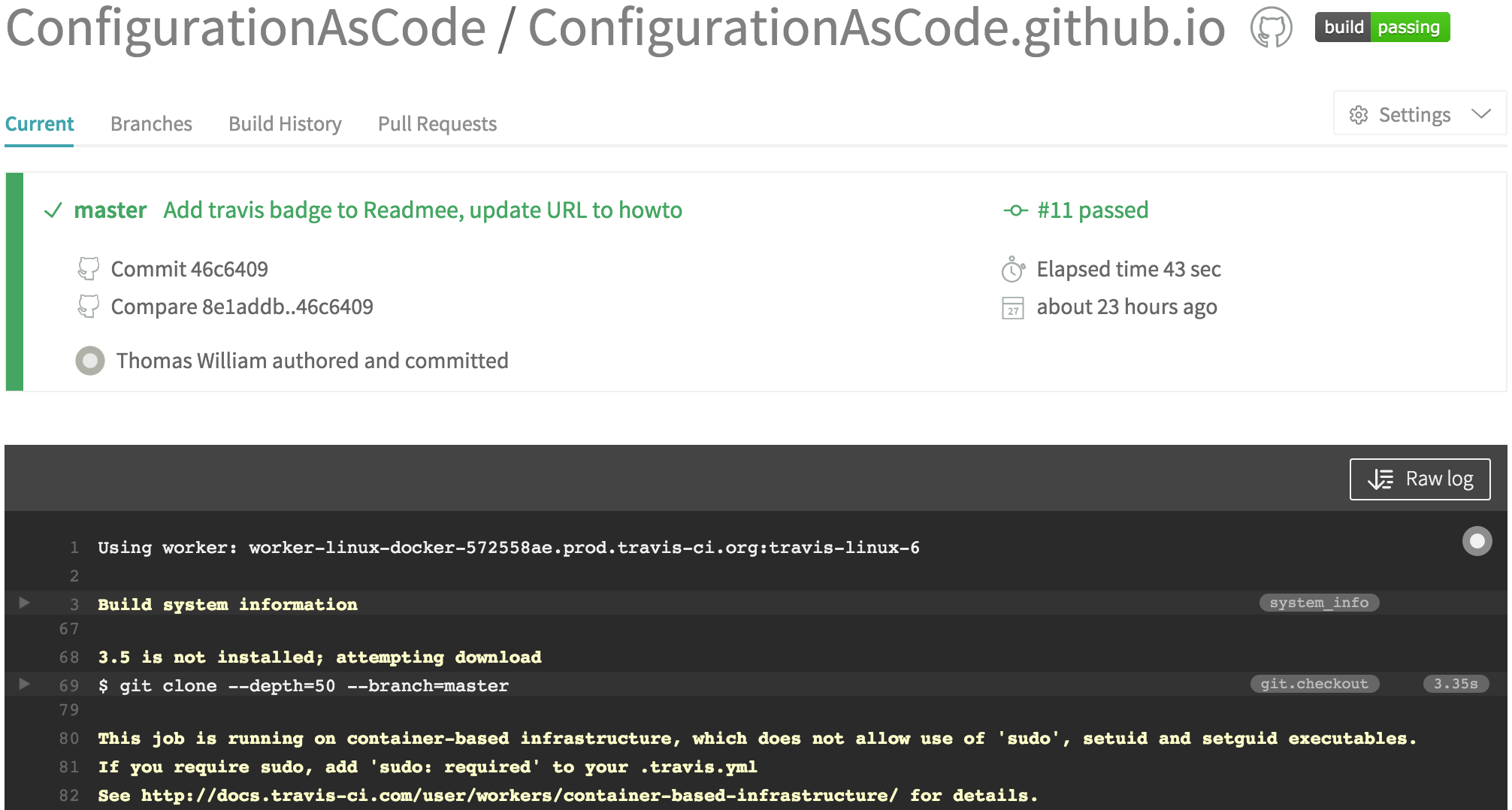
- Buildt using Travis CI
-> A commit/push to GitHub will trigger Travis that will build a new HTML file that is commited to Github which is then accessible via GitHub Pages.
- GitHub Repo: github.com
- Travis CI: travis-ci.org
- GitHub Pages: github.io
GitHub Repo
Travis CI configuration
# .travis.yml:
language:
    - python
python:
    - "3.5"
install:
    - pip install -r requirements.txt
script:
    - bash make.sh
after_success:
    - bash deploy.sh
env:
    global:
        - secure: "HkI0NJy4XDHC/7HMhjkLUW/dJYOi8irePyPHRRu2yQXbx2n7+zGjXFRsfQLjgEtorOyVJMhmW/4wKG62x
# requirements.txt:
rst2html5==1.4
rst2html5slidesCreate index.html
# make.sh:
#!/bin/bash

. ./create-sources.sh

cat *.rst >>slides.rst

rst2html5slides --traceback --strict --tab-width=4\
            --template templates/jmpress.html \
                        slides.rst index.html

rm -f slides.rst
# create-sources.sh:
#!/bin/bash
pygmentize () {
FILE=$1
CODE=$2
echo ".. code:: ${CODE}" >src/${FILE}
echo " " >>src/${FILE}
echo " # ${FILE}:" >>src/${FILE}
while IFS='' read -r line; do
printf " %.100s\n" "$line">>src/${FILE}
done < ${FILE}
}
pygmentize .travis.yml yaml
pygmentize make.sh bash
pygmentize create-sources.sh bash
pygmentize deploy.sh bash
pygmentize requirements.txt bashCommit index.html To GitHub
# deploy.sh:
#!/bin/bash

set -o errexit -o nounset

rev=$(git rev-parse --short HEAD)

git init
git config user.name "Thomas William"
git config user.email "thomas.william@citrix.com"

git remote add upstream \
    "https://$GH_TOKEN@github.com/ConfigurationAsCode/ConfigurationAsCode.github.io.git"
git fetch upstream
git reset upstream/master

echo "configurationascode.github.io" > CNAME

touch .

git add -A .
git commit -m "rebuild pages at ${rev}"
git push -q upstream HEAD:master
Travis CI
CAS @ Citrix 1/2
-
- The build plans to create the docker images are create by jenkins jobs
-
- Dependency graphs are built by parsing Dockerfiles
- Plans trigger each other in right order
- Change to base layer invokes rebuilt of upper layers
- Configuration is completely stored in git repository
CAS @ Citrix 2/2
-
- To create a new docker image in Artifactory/Jenkins:
-
- commit/push Dockerfile to git repository
- CreateAllSlaveImages plan gets triggered by code change
- CreateAllSlaveImages parses Dockerfile and triggers CreateSlaveContainerProject with Parameters
- CreateSlaveContainerProject creates a Jenkins plan for new Dockerfile
One Plan For Each Dockerfile
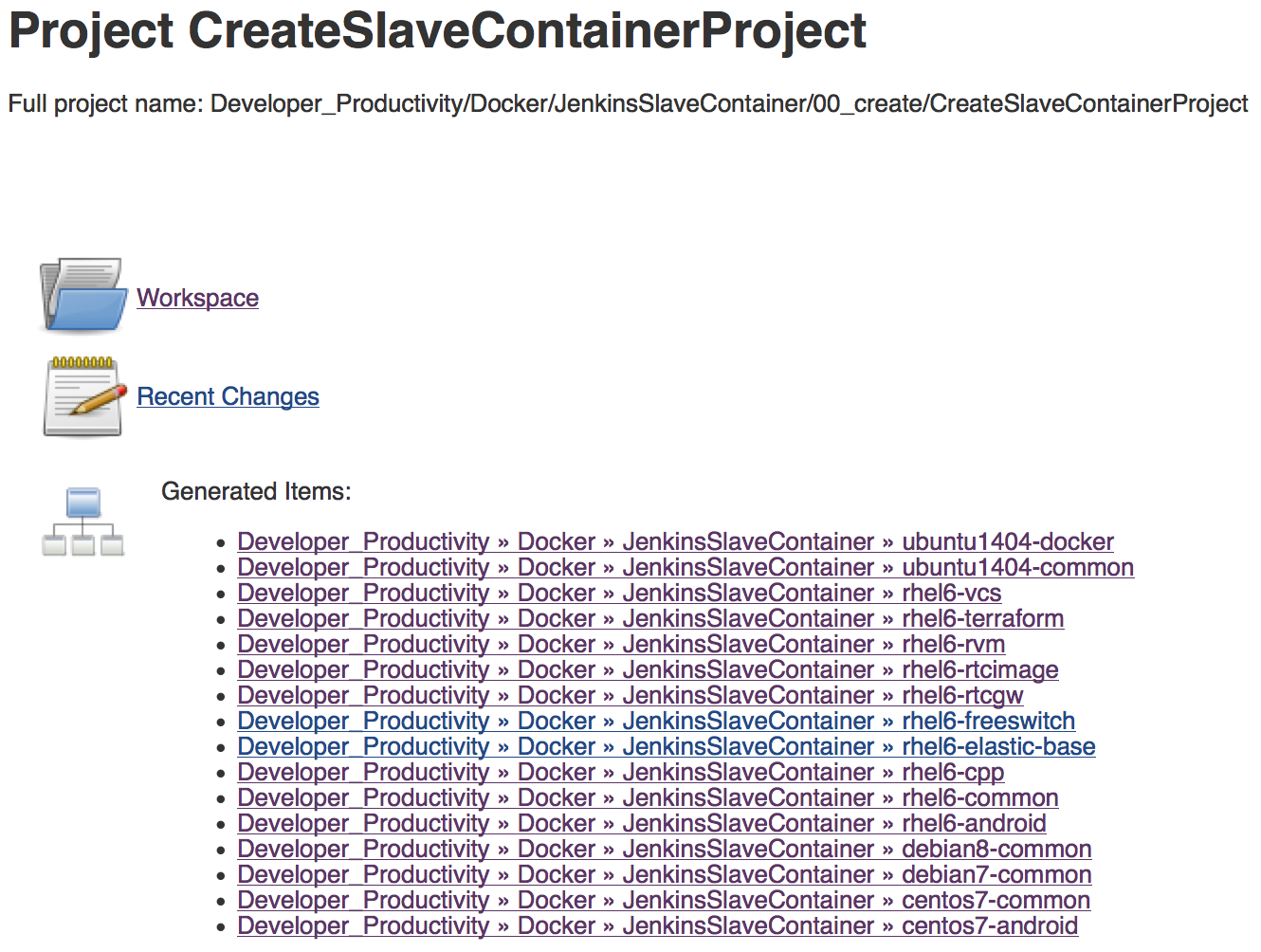
Live Demo Of Jenkins
- The configuration of a plan changes with the sourcecode
- Adding endpoints (capabilities) to your code, you will need to change your build as well
- If you need to apply a hotfix for an old version, your changed build-plan will not work with the old source code base
- Your build machines may have changed (newer compiler versions etc.)
-> Solution is to save build plan (and requirements) alongside with the source code: Jenkinsfile
Summary
Moving build system into the cloud enables us to:
- Scale up build machines according to (current) demand
- Scale down on systems/apps we need to support (tech debt)
- Massively increase automation using AWS
- Provide more uniform environment across, dev, test, staging and production